Instructions
Select the browser below that you use to view internet websites. We will use this browser to open our PWA (Progressive Web App).
Follow these steps to open/install the PWA in Chrome:
Step 1: Tap the share icon in the URL bar.

Step 2:Select "Add to Home Screen".
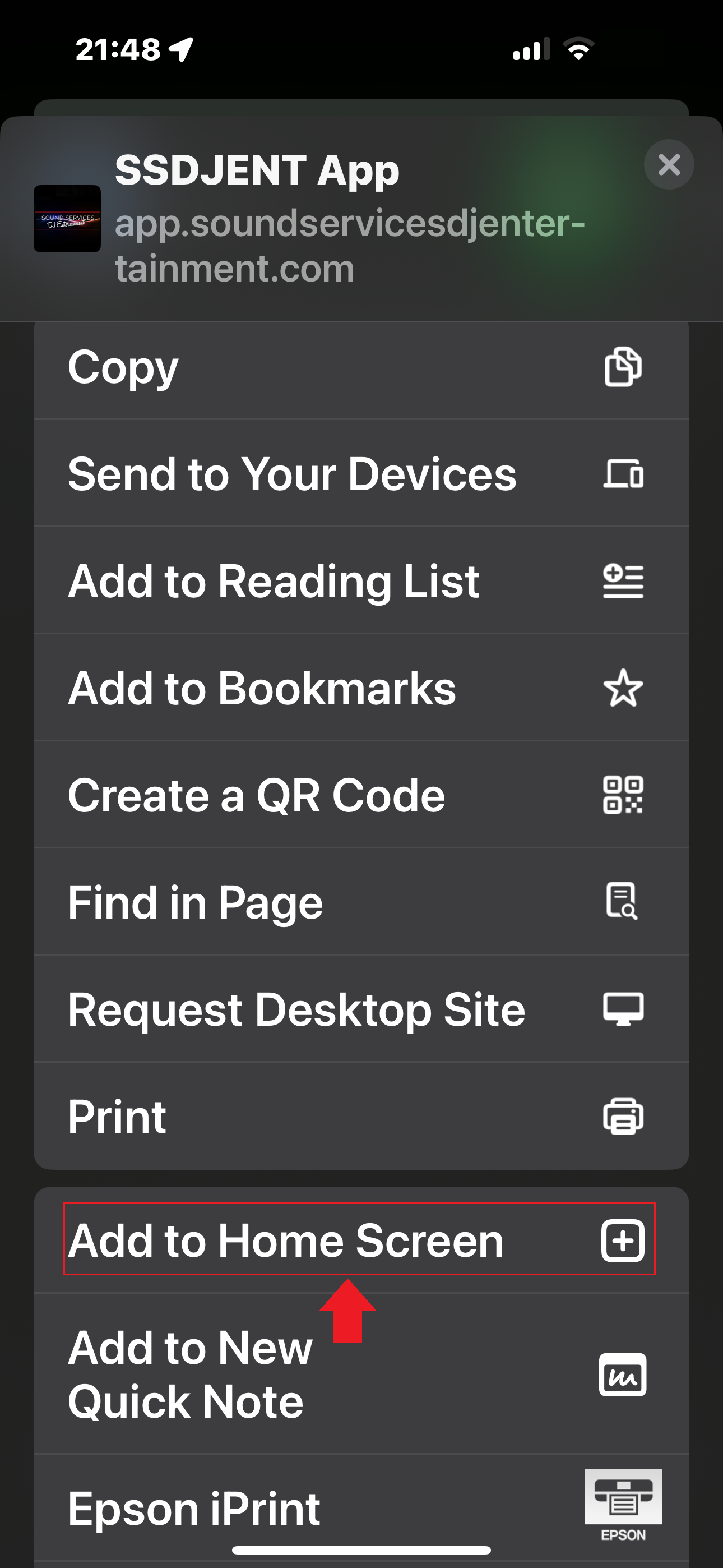
Step 3: Rename the app if desired, then tap "Add".
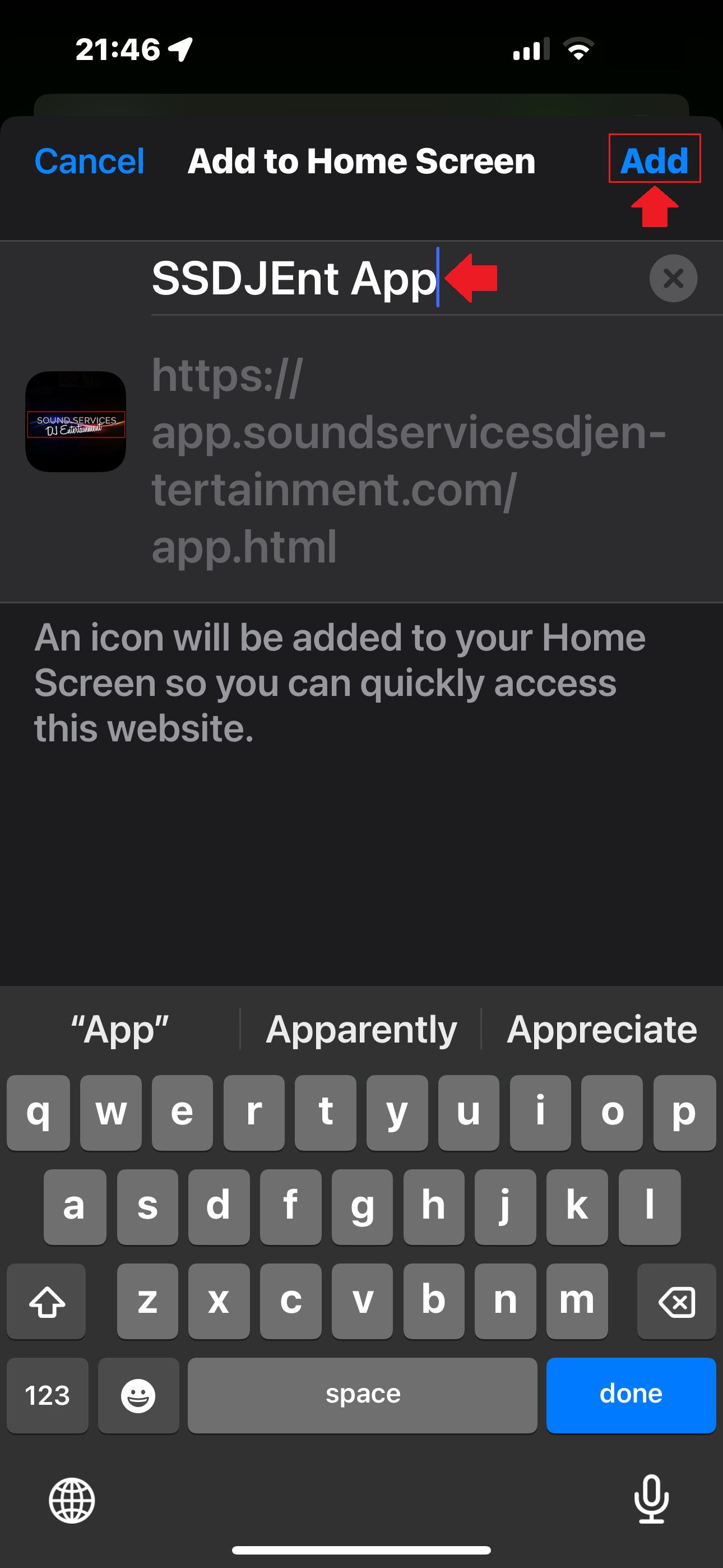
Step 4: Locate the PWA on your home screen.
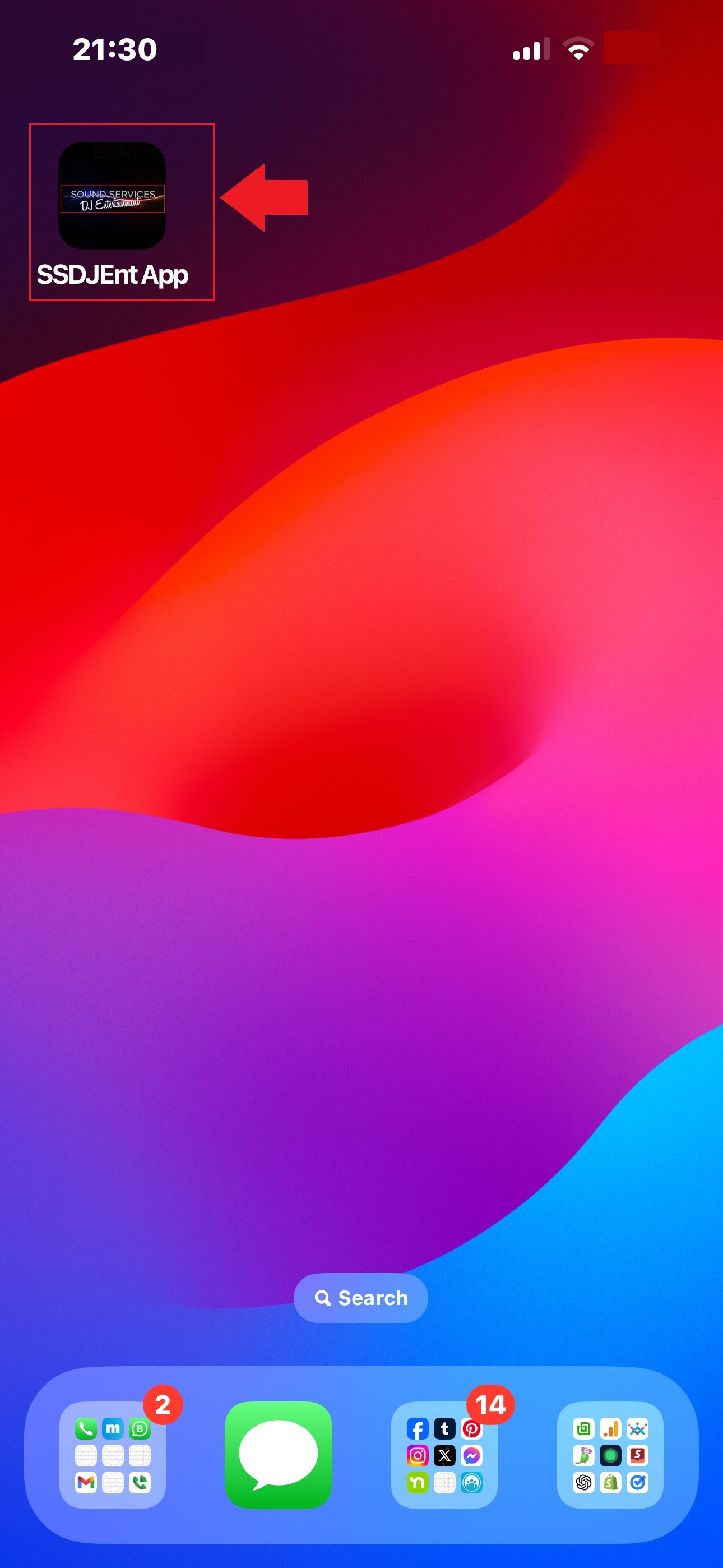
Follow these steps to open/install the PWA in Safari:
Step 1: Tap the share icon at the bottom of the screen.

Step 2: Select "Add to Home Screen".
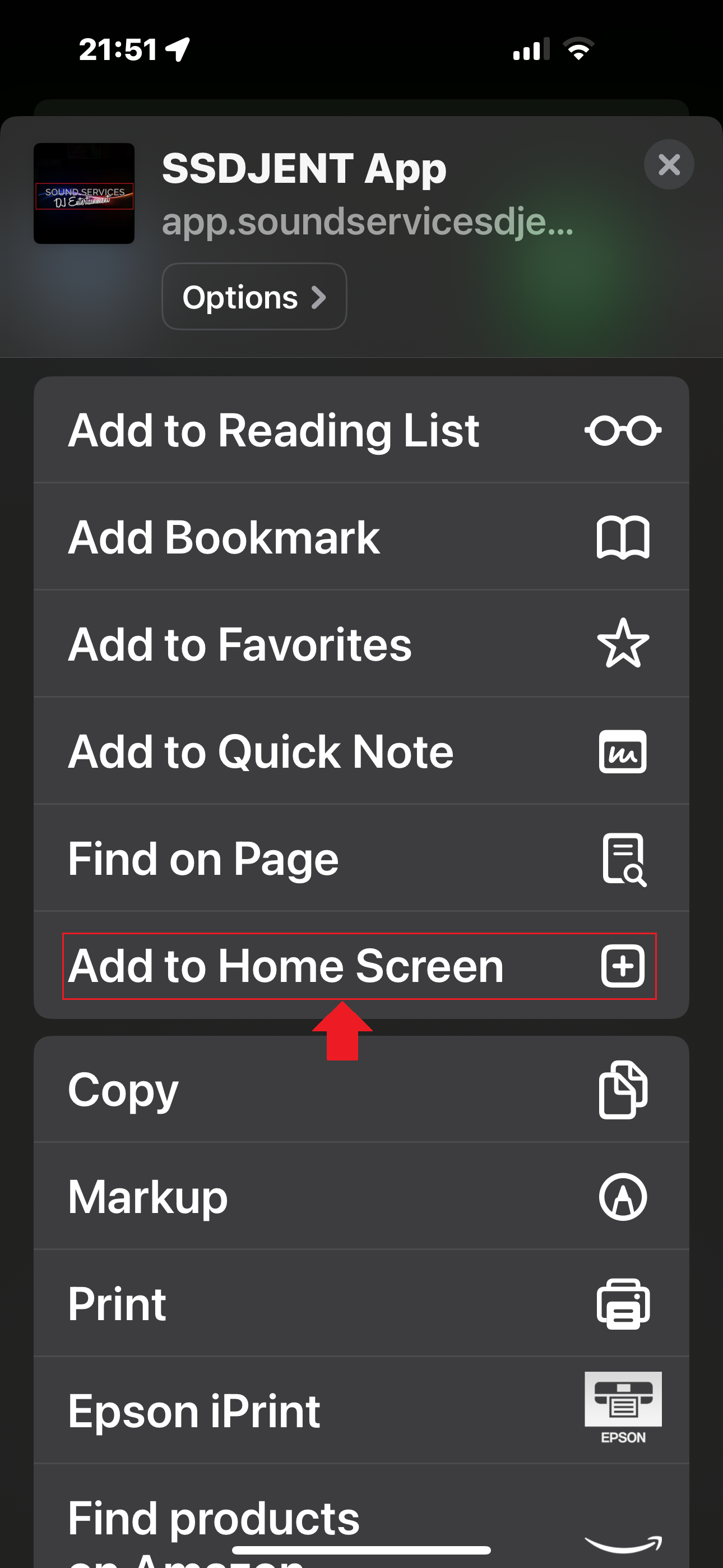
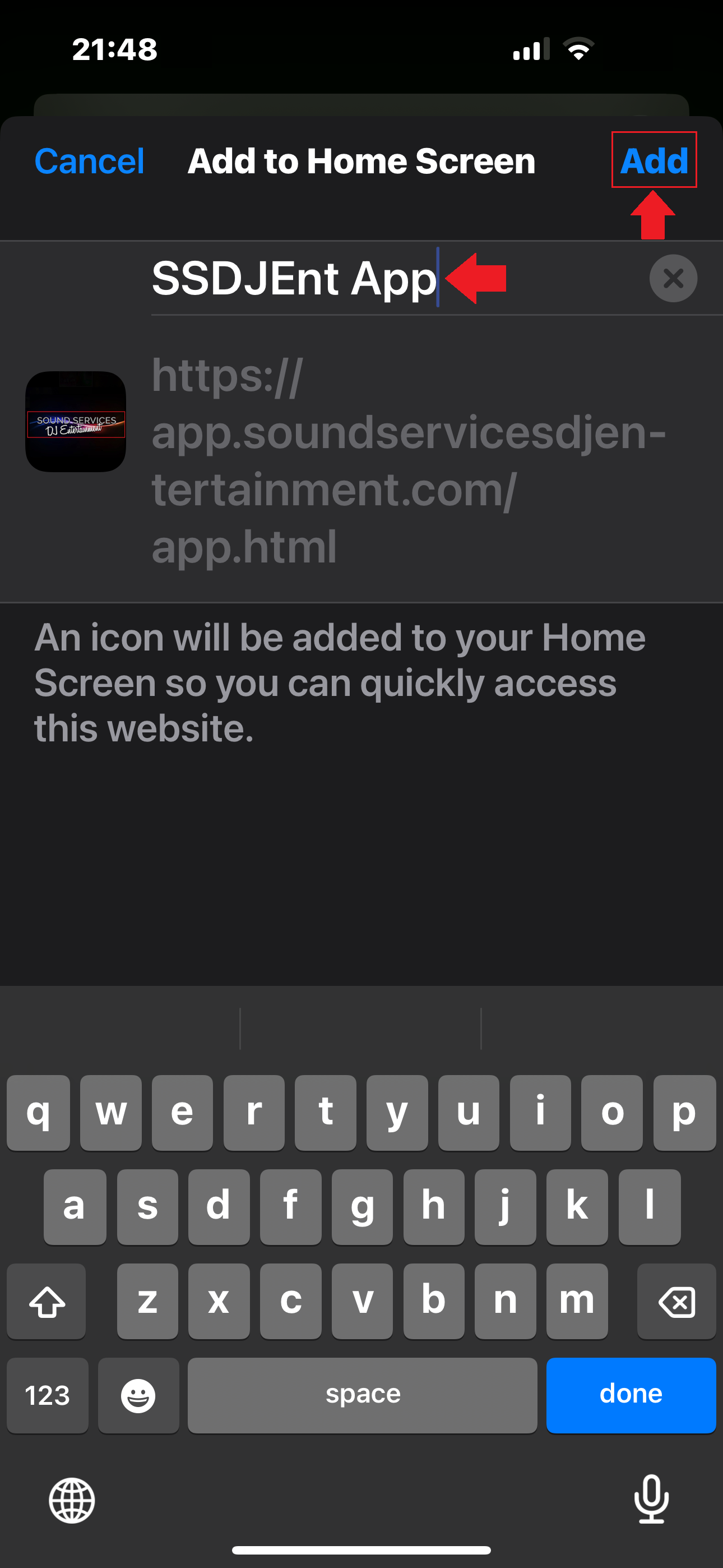
Step 3: Rename the app if desired, then tap "Add".
Step 4: Locate the PWA on your home screen.
Follow these steps to open/install the PWA in Edge:
Step 1: Tap the menu button (three lines) in the bottom bar.

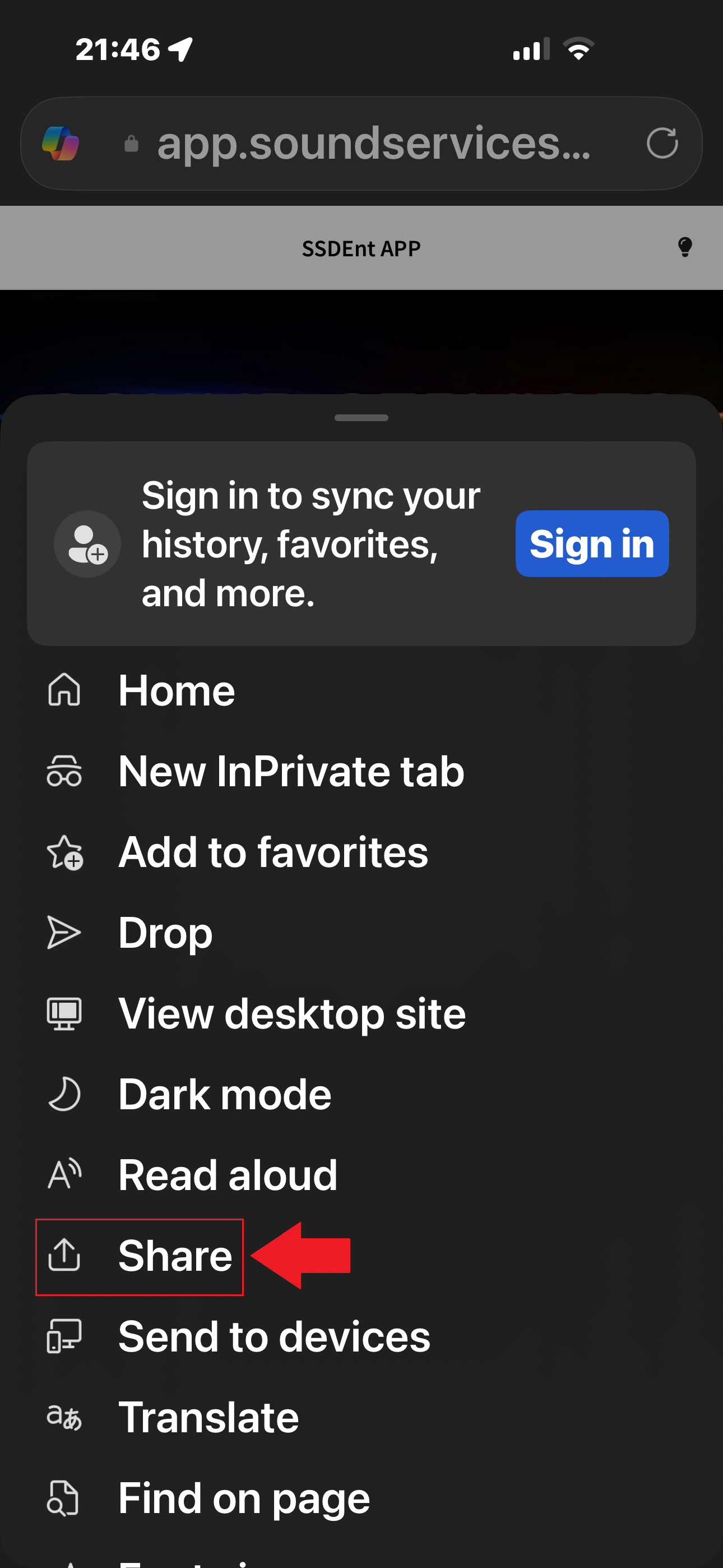
Step 2: Select "Share".
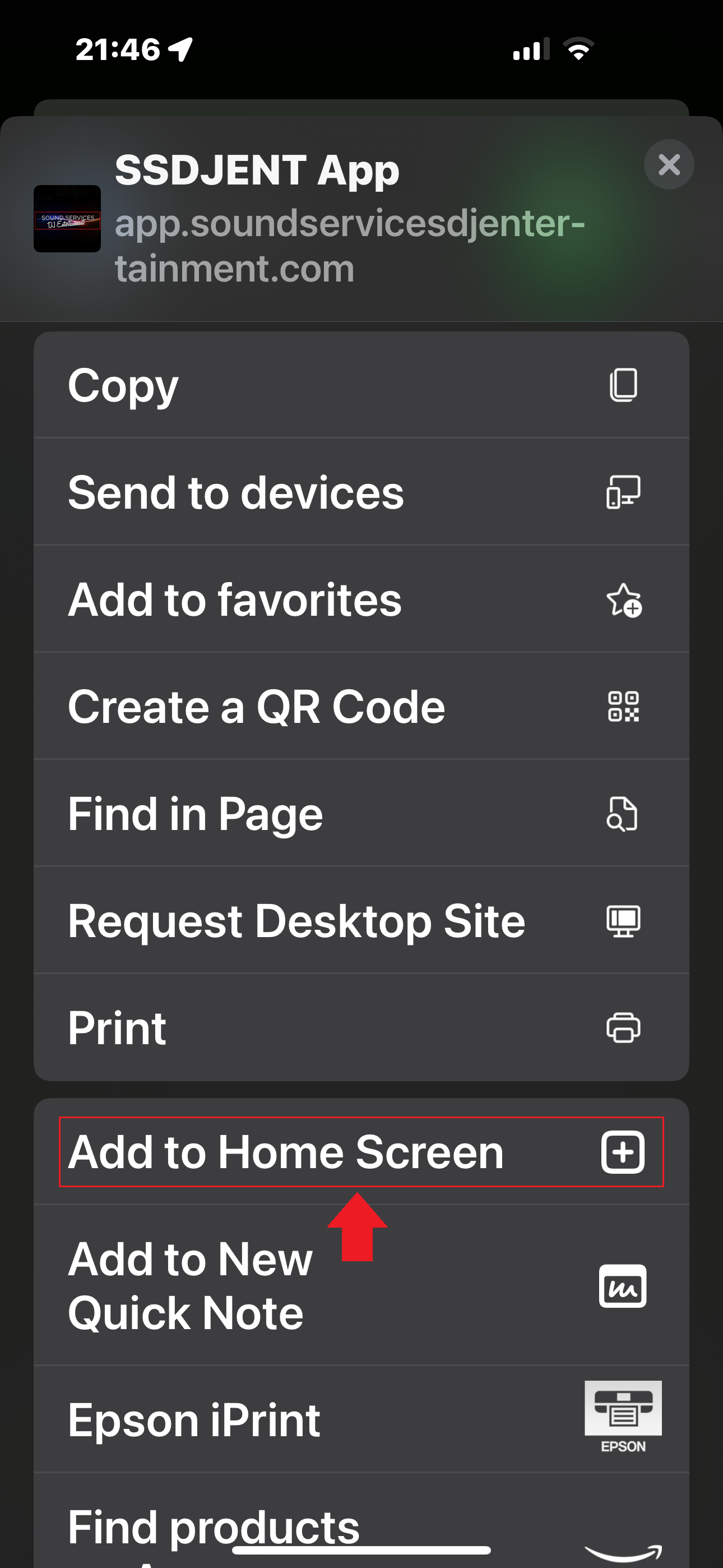
Step 3: Select "Add to Home Screen".
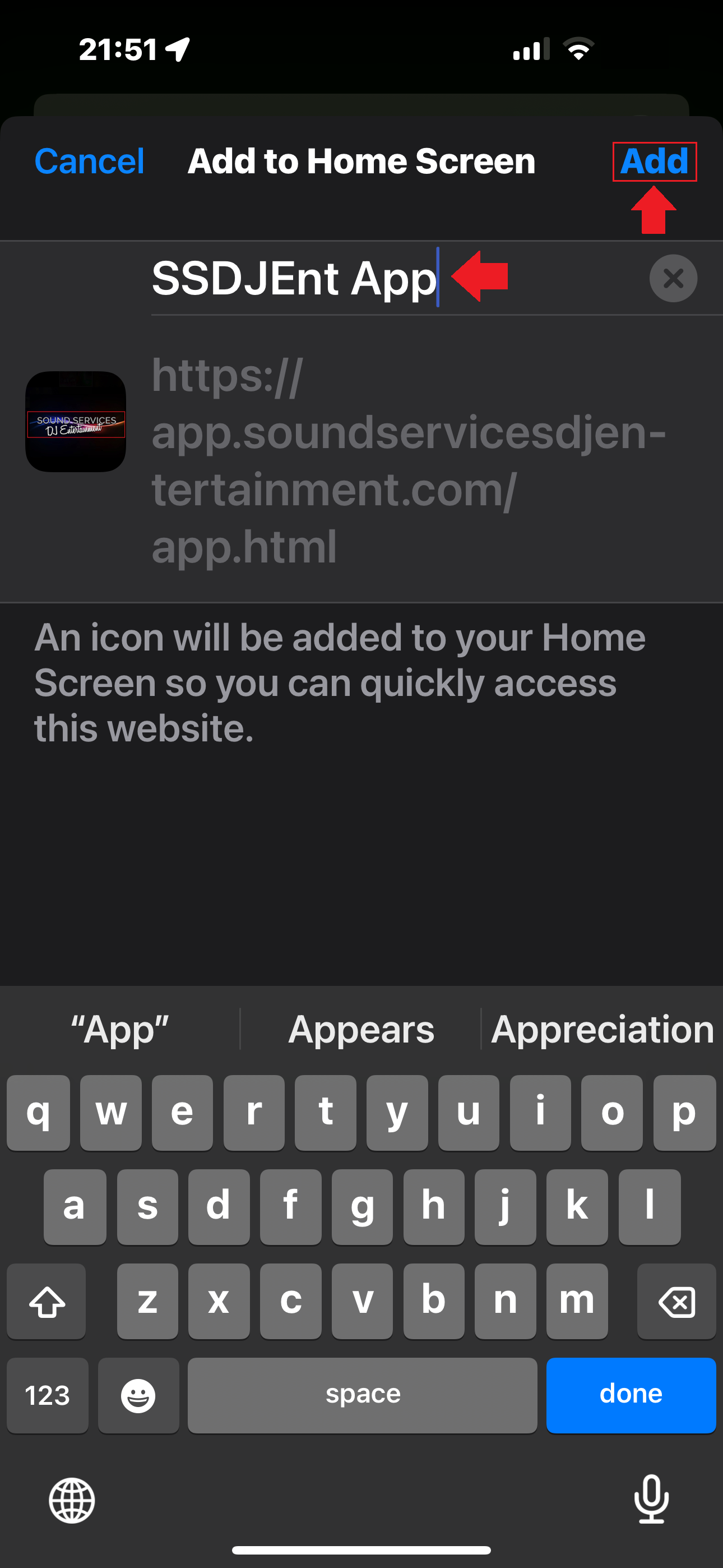
Step 4: Rename the app if desired, then tap "Add"
Step 5: Locate the PWA on your home screen.
Follow these steps to open/install the PWA in Firefox:
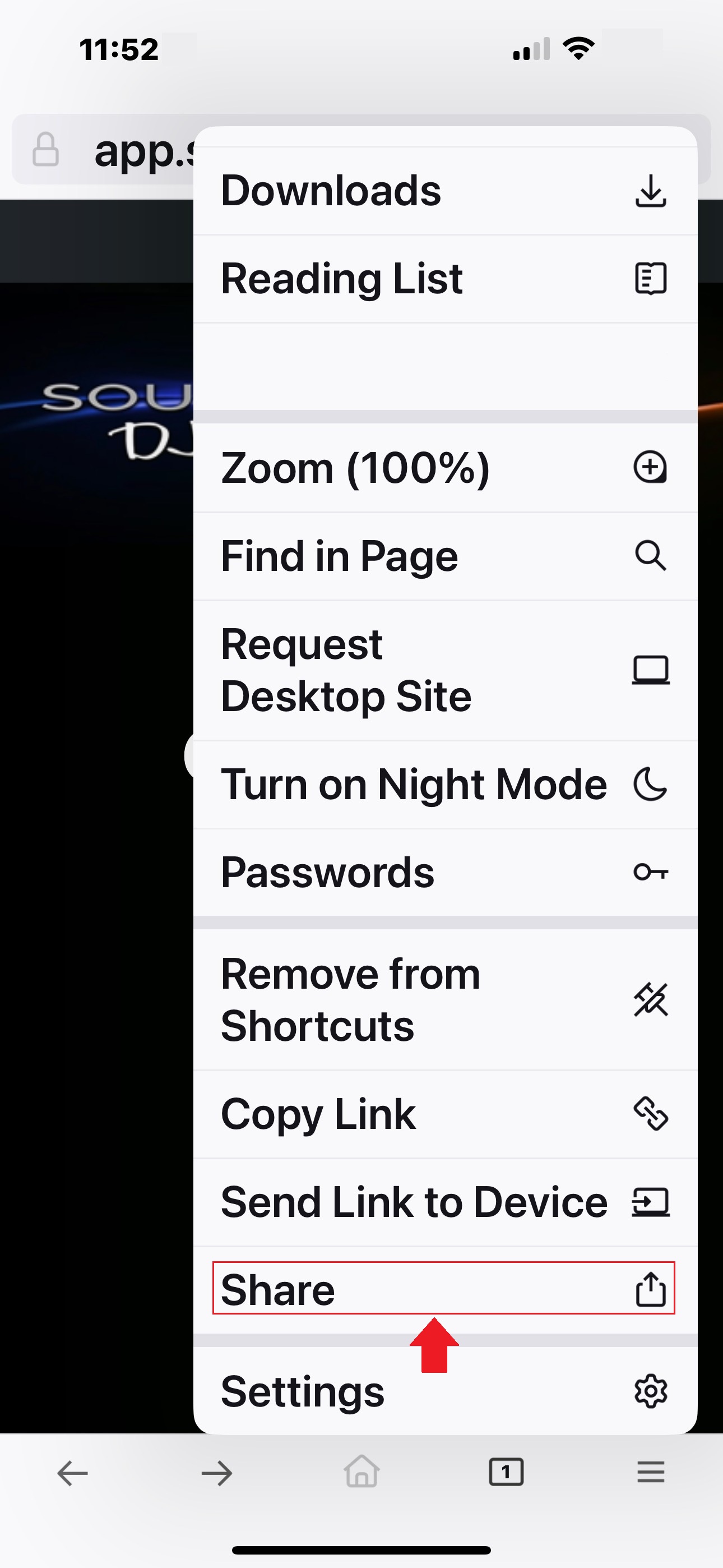
Step 1: Tap the menu button (three lines) in the bottom bar.

Step 2: Select "Share".
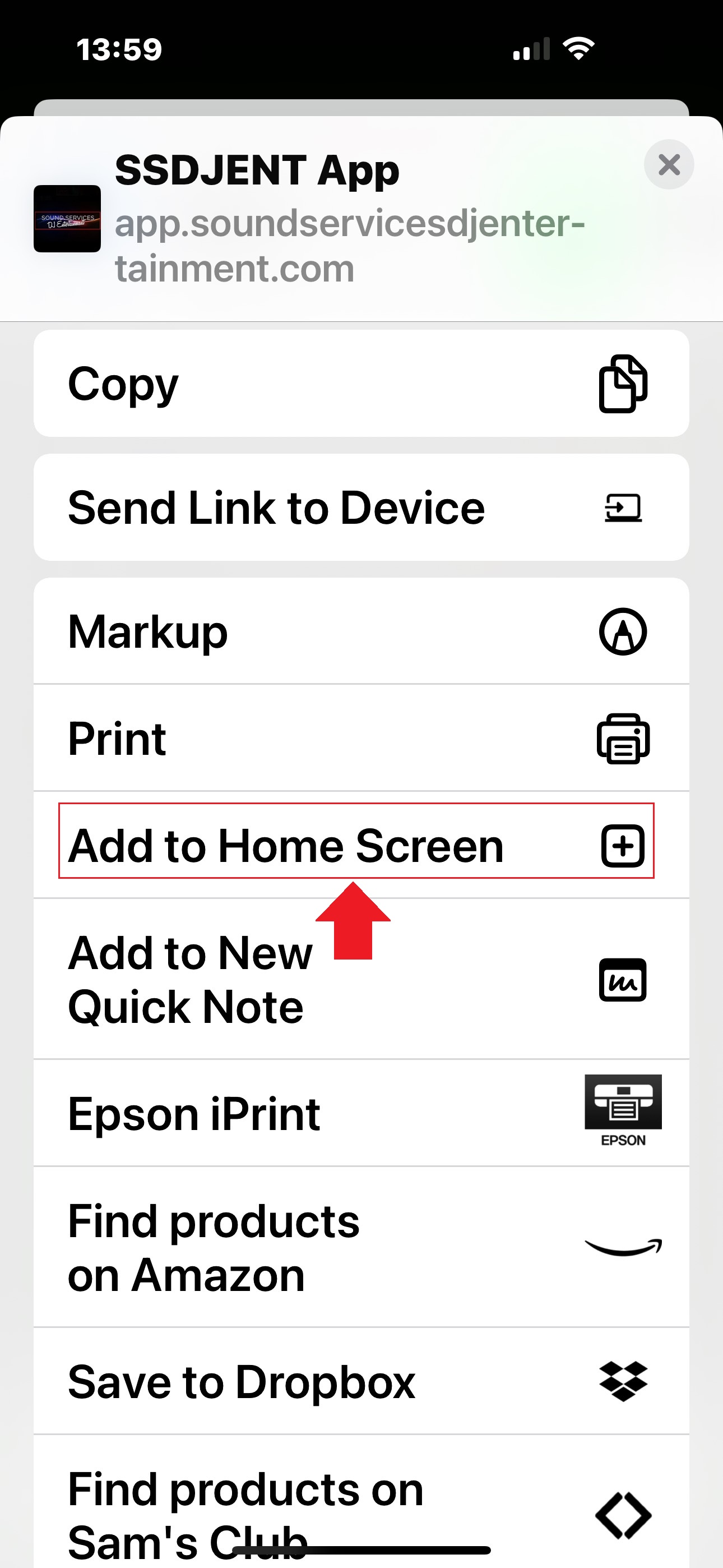
Step 3: Select "Add to Home Screen".
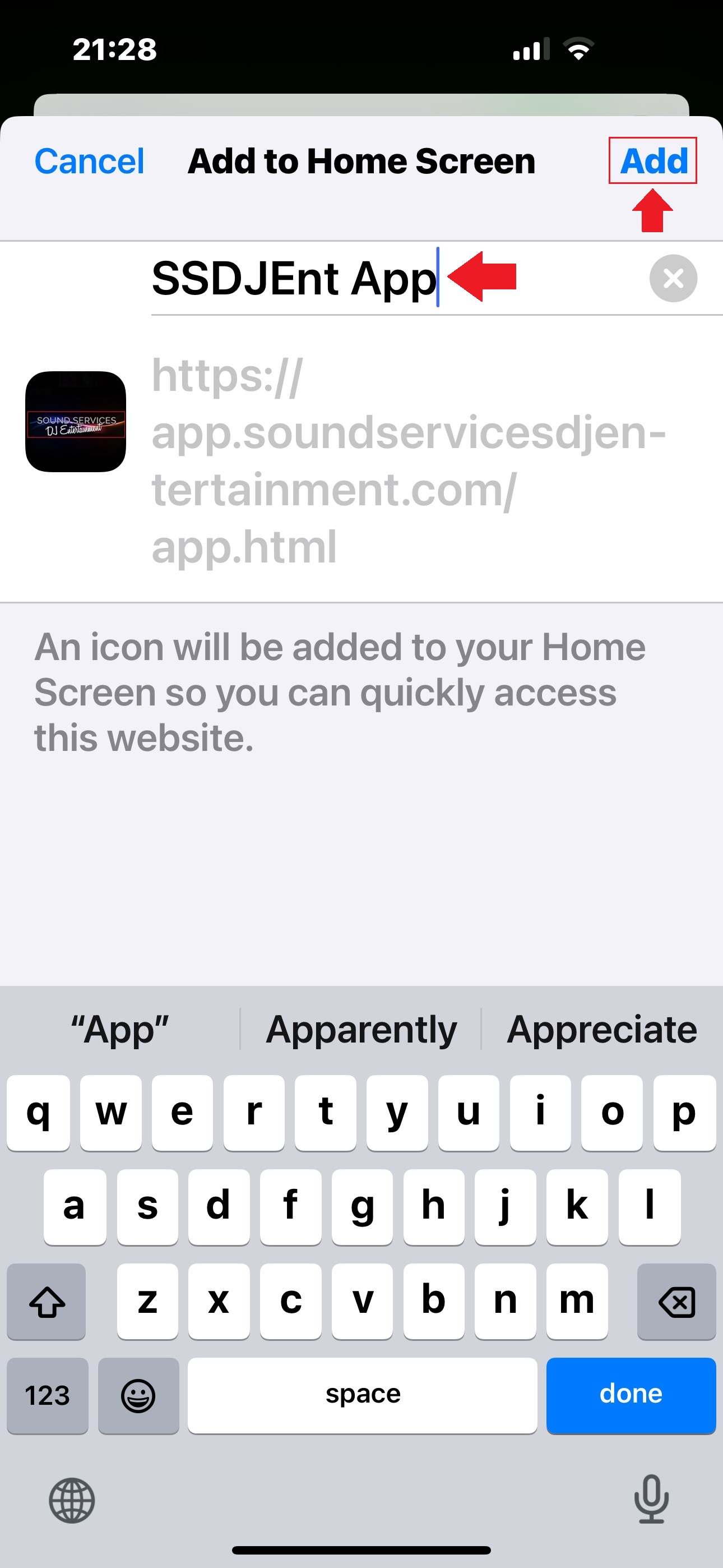
Step 4: Rename the app if desired, then tap "Add"
Step 5: Locate the PWA on your home screen.